By Frank Ulom
ENGLAND (CONVERSEER) – The New football season is here, and fans are struggling to watch their favourite teams on their mobile phones, tablets, laptops and Smart TVs. Don’t worry, this article has got your back.
NOTE: Everything is FREE of charge, no subscription, no paywall, no restriction – it’s for everyone across the world, no matter where you are.
This article will show you how to watch all 380 Premier League matches, 380 La Liga matches, Serie A, Champions League, Europa League, Conference League, Bundesliga, Ligue 1, and other matches for free.
This feature is for all mobile smartphone users, tablet, laptop, computer and Smart TV users.
Without much ado, let’s dive into how to watch all Premier League, Champions League, La Liga, Europa League, Conference League, and other matches for FREE.
Method 1 (Cricfy TV app)

The method involves using the Cricfy TV app, also known as the CricFree TV app. All you have to do is search for the Cricfy TV app on Google or use the following link: https://cricfy.net to download the app from the official website.
Install it, you may be prompted to grant permission for the app from unauthorised sources, please allow access. This is just for apps not downloaded from the App Store.
After installation, choose from 100s of channels to LIVE stream football matches for free. It also has movies, news, cartoons and others.
READ ALSO: Mo Salah makes history as Liverpool begin title defence with win over Bournemouth
CricFy TV is a game-changer in the streaming world, particularly in regions like Africa, India, Pakistan, Bangladesh, the UK, and the United States. This app provides users with seamless access to live TV, sports events, and a plethora of entertainment channels.
Method 2 (Yacine TV)
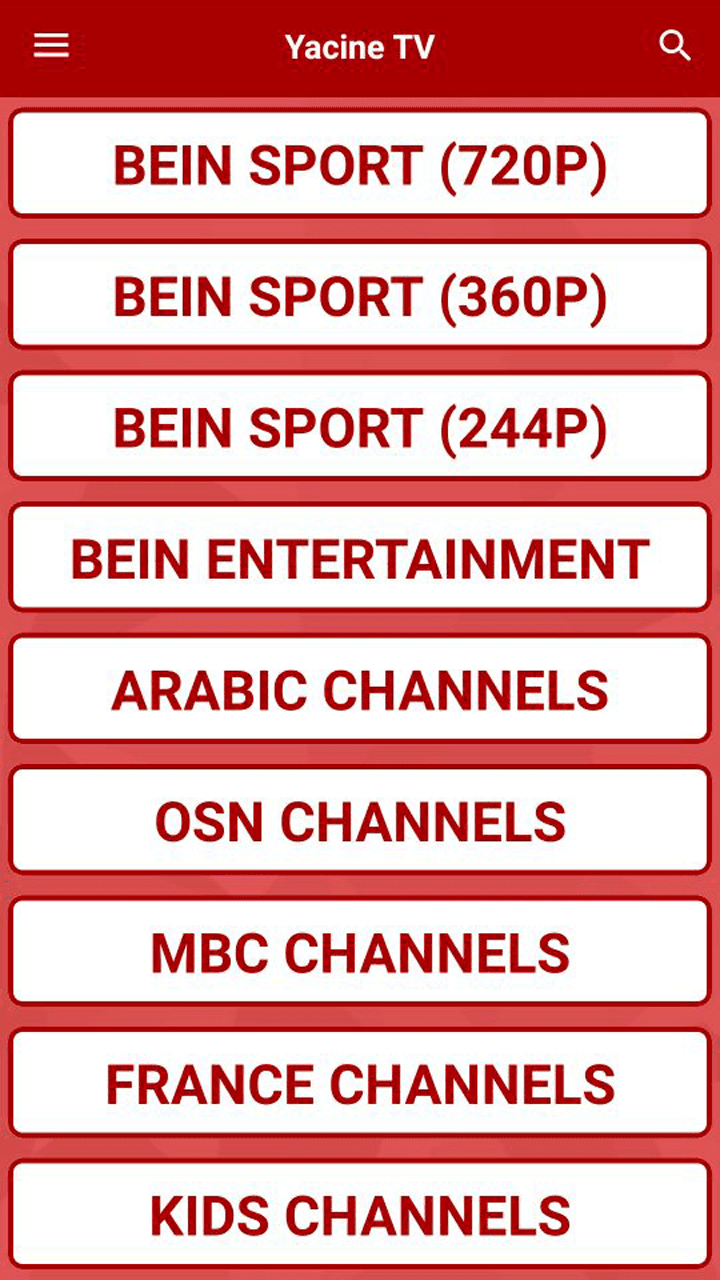 Another way to watch LIVE football on mobile, tablets and smart TVs for FREE is via the Yacine TV app. It’s completely free of charge.
To install Yacine TV on your device, download it via the link: https://yv.yacineapp.tv. You can also search for it on Google and download it. Remember to grant permission when installing apps not downloaded from the Play Store.
After downloading and installing the Yacine TV app, Head to Google Play Store or your device’s App Store and download the latest version of YTV Pro. Install it because without it, you won’t be able to use the Yacine TV.
After installing the YTV Pro app, open your Yacine TV and watch all LIVE football matches for free. You can also watch other sports, movies, cartoons, news, TV shows, etc, via the app.
The app is arranged into LIVE events (matches), Channels, Quality (resolution), etc.
Method 3 (Blink Streamz)

Blink Streamz. Download the Blink Streamz app through the official website, https://www.blinkstreamz.com or simply search for the app on Google.
Install it on your device, and you’re good to go. Don’t forget to grant permission to apps not downloaded from the App Store.
The app is arranged into Categories, Events and Favourites. For the Categories, select your region; Africa TV, Arabian TV, Austria TV, Canada TV, France TV, Kids TV, Portugal TV, Spain TV, Sports TV, UK TV, USA TV, Wildlife/Sci TV, etc.
For the Events, this is where you get all the LIVE matches and coverage.
Please, don’t forget to share this article with others using the social media share buttons below.